
7 Best Model Railway Layout Software Picks

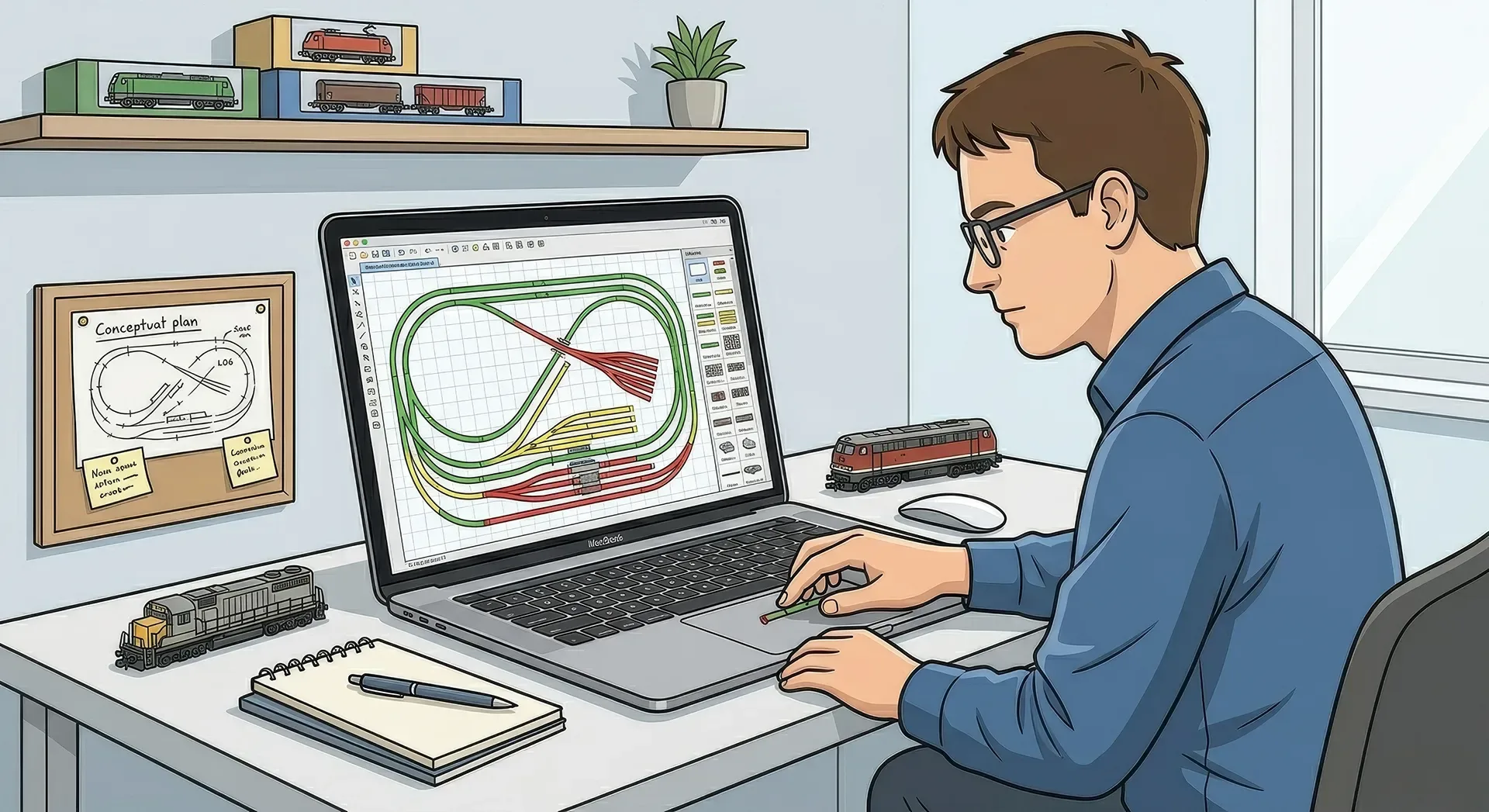
That moment when a plan looks perfect on paper, then refuses to fit the spare room, is exactly why the best model railway layout software earns its keep. Good planning software does far more than draw a loop and a siding. It helps you test reach, curve geometry, baseboard size, station spacing and operating potential before you cut timber or start pinning down track.
For most modellers, the right choice comes down to one simple question: do you want a quick way to sketch ideas, or a detailed system that reflects the exact track library, radius, turnout and elevation changes you intend to build? There is no single winner for everyone. An N gauge branch terminus in a box room has different needs from a large OO exhibition layout or a digitally controlled multi-level HO freight plan.
What makes the best model railway layout software?
The best model railway layout software should save time, reduce expensive mistakes and help you think more clearly about operation. That means different things to different builders, but a few qualities matter almost every time.
First, it needs sensible track libraries. If you are using set-track geometry, sectional planning is much easier when the software already knows the pieces. If you are working with flexible track, smooth curve tools and accurate turnout options matter more. Second, it should let you visualise the room properly. Baseboard edges, access gaps and hidden areas are just as important as the track itself.
The next factor is ease of use. Some programs are powerful but fiddly, and you can spend more time fighting menus than testing ideas. Others are much friendlier for beginners but may feel limiting once you start adding complex yards, spirals, gradients or signalling logic. That trade-off is perfectly normal. The best software for a first home layout may not be the best one for a club project.
7 best model railway layout software options
AnyRail
AnyRail is often the first recommendation for good reason. It is approachable, quick to learn and strong on practical planning. The interface makes it easy to drag, connect and adjust track pieces, and it supports a wide range of manufacturers. For modellers who want to turn a rough idea into a workable plan without a week of study, it is one of the easiest places to start.
Its strength is clarity. You can build a believable layout plan quickly, test baseboard sizes and see whether your station throat is realistic or hopelessly cramped. It is especially useful for sectional track users, though it also supports more flexible planning. Where it can feel less complete is in the deeper visual side. If you want highly immersive scenery rendering, it is more functional than dramatic.
SCARM
SCARM has built a loyal following because it offers a lot of capability without demanding a large budget. It is well suited to hobbyists who want proper layout planning features, including elevations, structure placement and a useful 3D view, but still want the software to feel accessible.
This is where SCARM often wins people over. You can do more than simply place track. You can start to understand how the full layout may sit in space, which is especially helpful for multi-level designs or plans with bridges, hidden loops and rising gradients. The 3D element is not perfect, but it is genuinely useful for spotting awkward transitions before they become plywood problems.
RailModeller Pro
For Mac users, RailModeller Pro is one of the more natural fits. Model railway software has not always treated Apple users kindly, so a program that feels built for that environment rather than squeezed into it can be a real advantage.
It handles track planning well and offers a clean workflow, with decent visual polish and strong support for library-based design. If your layout planning life happens on a Mac, this is one of the strongest options to look at first. The obvious limitation is platform preference. If you work across mixed devices or share planning files with club members on Windows, that can matter.
XTrackCAD
XTrackCAD has been around for years and still appeals to modellers who value depth over appearance. It can do a great deal, and experienced users often praise its flexibility. If you enjoy learning capable tools and do not mind an interface that feels a little dated, it remains a serious option.
The challenge is the learning curve. Newcomers may find it less inviting than AnyRail or SCARM. Still, if you want detailed control and are willing to put in the time, it can reward patience. It feels a bit like an old workshop tool - not pretty, but dependable once you know where everything lives.
TrainPlayer
TrainPlayer sits slightly differently in the mix because it leans more towards operation and virtual running than pure layout drafting. That makes it interesting for modellers who care deeply about how a plan works in session, not just how it looks from above.
If you are trying to test operating logic, yard movement and traffic flow, software in this style can reveal weaknesses that a static track plan misses. A layout can look balanced on screen and still be tedious to run. TrainPlayer helps expose that. On the other hand, if your immediate goal is simply drawing a track plan for construction, it may not be the most direct starting point.
WinTrack
WinTrack is often mentioned by European modellers and by anyone who wants extensive planning capability with a stronger visual element. It supports detailed layouts and can be very effective for complex designs, especially if you want to model scenery, structures and terrain in more depth.
That said, it can feel heavier than the simpler planners. Some users will appreciate the extra detail, while others will find it slows down early-stage experimentation. It suits modellers who already know roughly what they want and are ready to refine it carefully.
Templot
Templot is not for everyone, but for serious track builders it can be brilliant. If you hand-build track, need bespoke formations or want exact geometry for points and crossings, few tools are spoken about with more respect. It is particularly relevant for finescale work where standard library pieces simply do not reflect what you intend to build.
The catch is obvious: this is specialist software for a specialist job. If you are laying proprietary sectional track, Templot is probably more tool than you need. If you are building hand-crafted pointwork and want precision, it may be the only one on this list that truly fits.
How to choose the best model railway layout software for your project
Start with your actual layout, not the feature list. A small shelf layout with straightforward geometry does not need the same planning depth as a loft empire with hidden staging and multiple power districts. It is easy to be impressed by advanced tools you may never use.
Think about your track system first. If you rely on Peco, Hornby, Kato, Bachmann or another proprietary range, check library support early. Then consider how you work. Some modellers want to sketch ten ideas in an evening. Others want to measure every platform, siding clearance and gradient to the millimetre.
You should also decide how important 3D visualisation really is. For some builders, it helps them understand massing, scenery breaks and viewing angles. For others, a clean 2D plan is faster and clearer. Neither approach is wrong. It depends on whether you are solving construction issues or presenting a finished concept.
Software will not fix a weak layout idea
This is the part many of us learn the hard way. Even the best model railway layout software cannot rescue a plan with no operating purpose, poor access or impossible reach. A beautiful screen drawing can still produce derailments, dead scenic corners and maintenance nightmares.
Use software to test the practical questions. Can you reach that turnout at the back? Is the curve into the hidden yard sharper than your stock will tolerate? Have you left enough length for a locomotive to run round properly? The strongest plans are usually the ones that answer these questions early, then evolve through a few sensible revisions.
It is also worth comparing your software plan with real layouts built by other enthusiasts. Seeing how someone else handled a station throat, fiddle yard entrance or scenic divider often tells you more than another hour of zooming and nudging track on a screen. That is one reason community-led layout galleriesare so useful - they show what survived contact with real timber, real wiring and real operating sessions.
Which one is right for most modellers?
If you want the simplest recommendation, AnyRail and SCARM are the strongest all-round starting points for most hobbyists. They strike a good balance between usability and enough depth to plan something serious. RailModeller Pro makes particular sense for Mac users, while Templot stands apart for hand-built track and finescale precision.
Beyond that, it really does depend on how you build. A beginner planning a first OO branch line may value speed and clarity more than advanced custom geometry. An experienced EM or P4 modeller may need accuracy above all else. A club planning a large operating layout may care more about flow and staging than visual polish.
The best choice is the one that helps you move from idea to workable design without getting in your way. If a program encourages you to test, revise and improve, it is doing its job. And once you have a plan worth building, sharing it with fellow enthusiasts can be just as useful as drawing it in the first place.
Related Posts


Comments (0)
Community Guidelines
Keep all comments friendly. Feedback should be constructive and no derogatory comments are tolerated.
Sign in to join the conversation
No comments yet
Be the first to share your thoughts!